
Hey everyone,
A lot of us still have folders of old .gm6 and .gmk files that haven't run properly in years. I've been working on a tool that converts them into a web page you can open in any modern browser. You don't need GameMaker or Windows, and you don't have to rewrite anything.It's called gm-revive and it's free and open source (MIT license):https://github.com/DFortun81/gm-reviveWhat it doesIt reads a GameMaker 6, 7 or 8.0 project file, translates the GML code into JavaScript, and pulls out the sprites, backgrounds, sounds and fonts. The result is a folder with an index.html you can open straight from your hard drive, or upload anywhere to share with people.So far I've restored a bunch of old games with it, including some from friends here. Most of them came out playable on the first try, and every time one didn't, I fixed the tool rather than the game.How to use itYou'll need Python 3.9 or newer. Then:git clone <a rel="nofollow" href="https://github.com/DFortun81/gm-revive">https://github.com/DFortun81/gm-revive</a>
cd gm-revive
python -m gm_revive convert "path/to/YourGame.gm6" "out/YourGame"
- MIDI music: browsers can't play MIDI, so the tool renders it to MP3. For that you need FluidSynth, ffmpeg and a General MIDI soundfont (FluidR3_GM.sf2 is a good one). Add –soundfont path/to/FluidR3_GM.sf2 to the convert command. Without these the game still converts, just with silent MIDI tracks.
- Tracker music (.xm, .mod, .it, .s3m): if your game played these through GMFMOD, the tool renders them too. That needs an ffmpeg built with libopenmpt. Most full builds of ffmpeg have it.
python -m gm_revive report "path/to/old games" -o report.md
- GameMaker 6, 7 and 8.0 projects work. 8.1 and Studio projects don't yet. The tool recognises them and says so.
- Most of GML and the standard drag & drop actions are covered, along with particles, surfaces, views, paths, ds_ structures, save files and message boxes.
- Collisions use bounding boxes only. Precise per-pixel masks aren't supported.
- DLLs and extensions can't run in a browser. GMFMOD (GMFMODSimple) has a built-in replacement and so does the WinSkin extension; anything else is skipped with a warning, so games that rely on another DLL will be missing whatever it did.
- Code built as text while the game runs (execute_string with a string put together at run time) can't be translated.
 - DF81

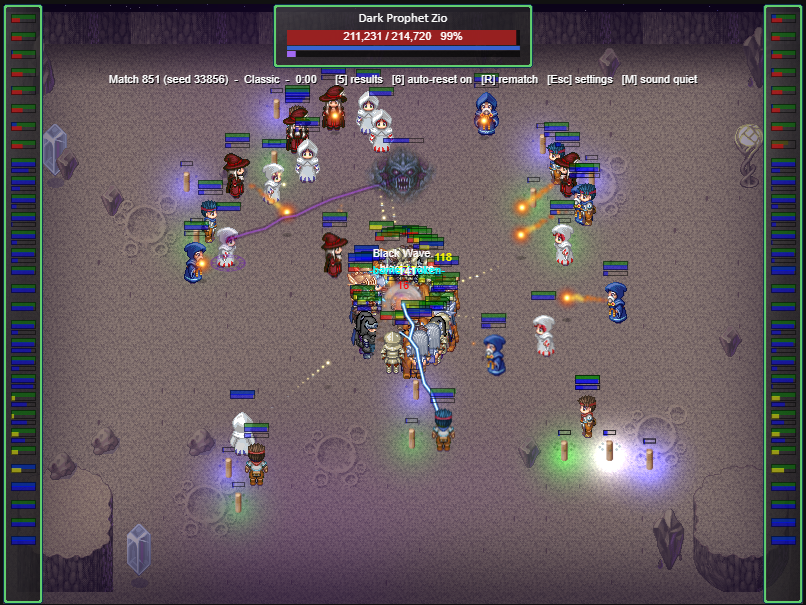
Essentially I found my old game maker source code files, got sad that I didn't have Game Maker anymore nor did they run in the executable format, and then had Claude Code build a converter tool that took GML and converted it to JavaScript.
If anyone wants any of their games converted to HTML5, I can also do that conversion for you and send back the ZIP.